Cloud computers for the agents you already use.
A Linux computer your agent runs as root. It keeps its files and wakes from sleep in about a second.
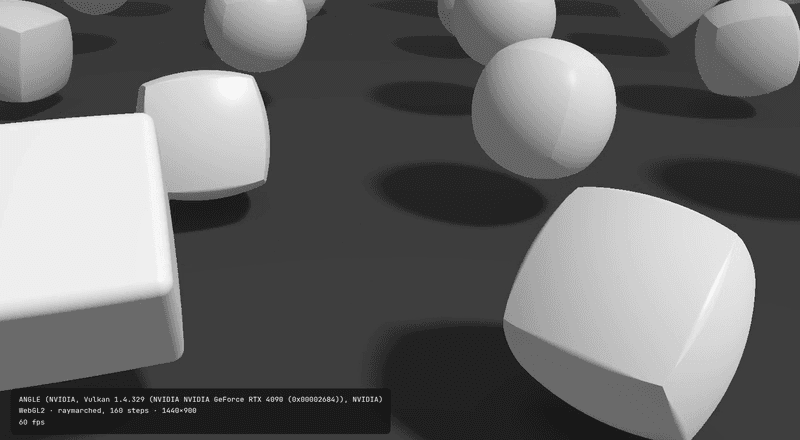
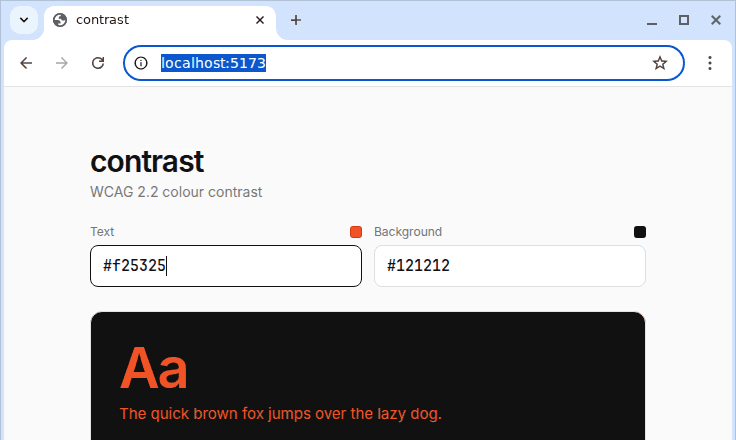
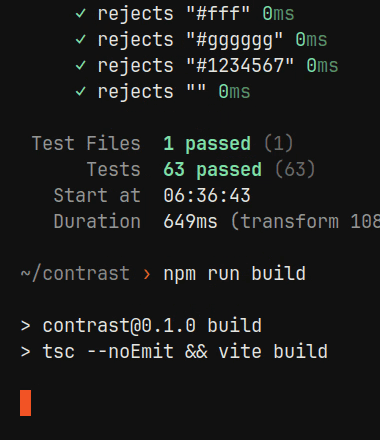
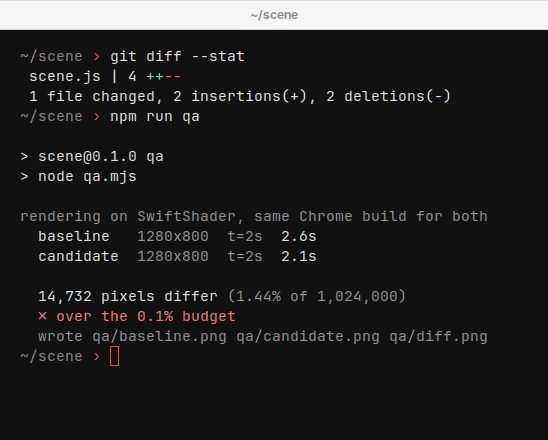
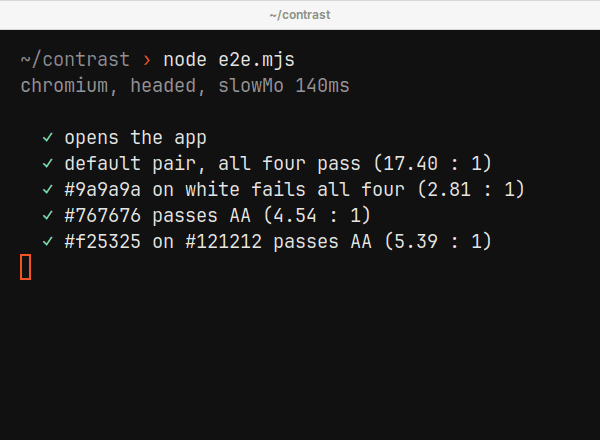
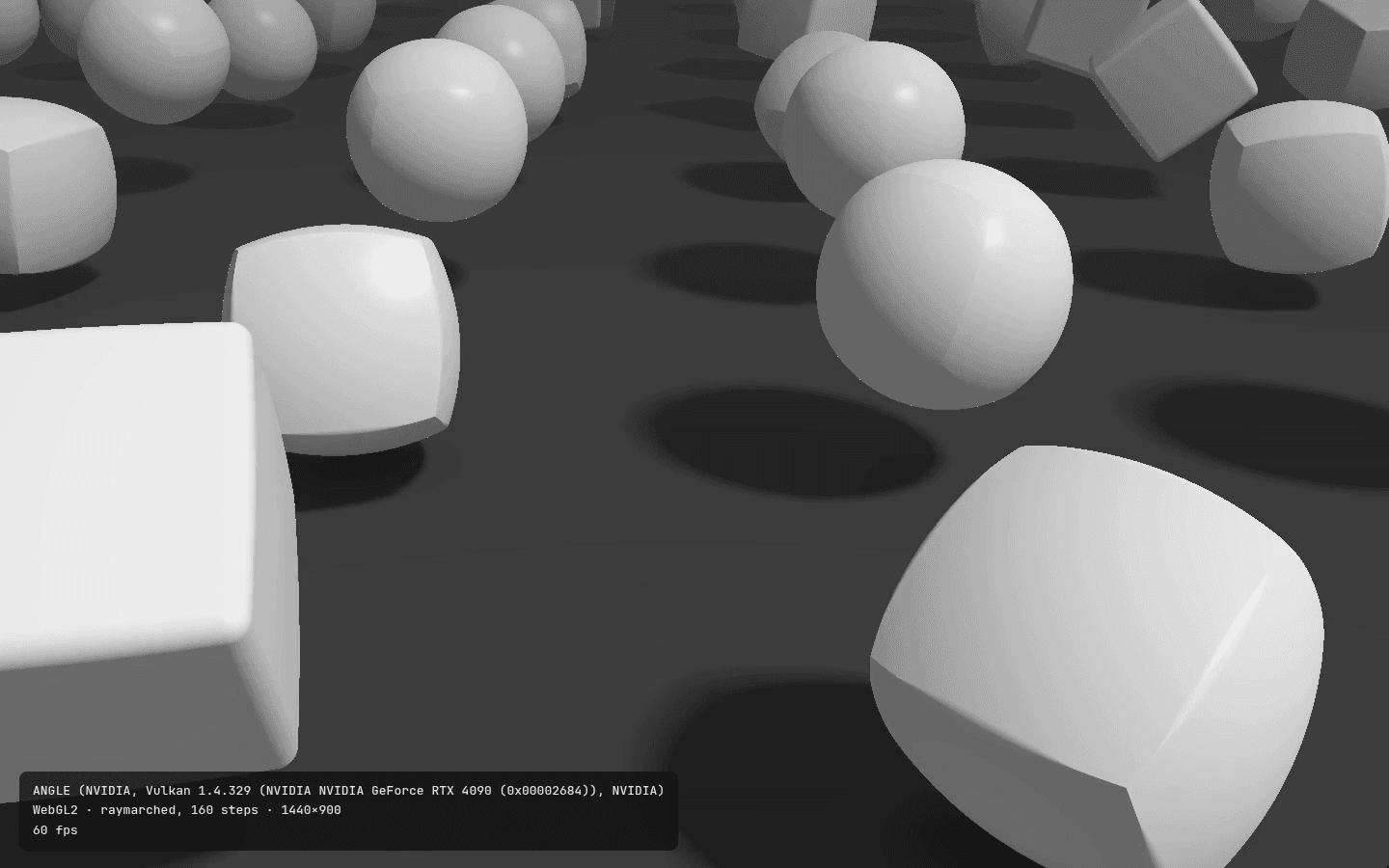
Recordings of real wack boxes: a GPU render, test suites, builds, a headed browser and a pixel diff.
Works with the agents you already use
- Claude Code
- Codex
- Cursor
- VS Code
- Gemini CLI
- Windsurf
- Any MCP client
Or paste this into your agent. It reads the manual, asks for your connect URL and sets itself up.
Read https://wack.sh/SKILL.md and connect me to wackA computer that's still there tomorrow.
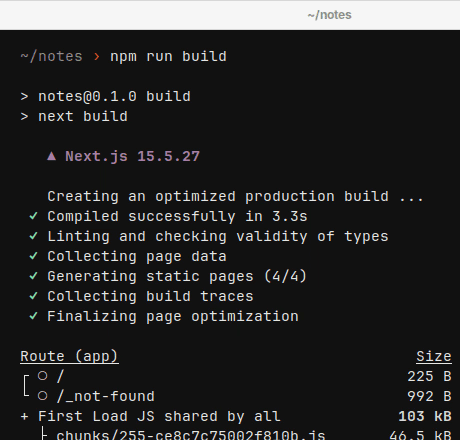
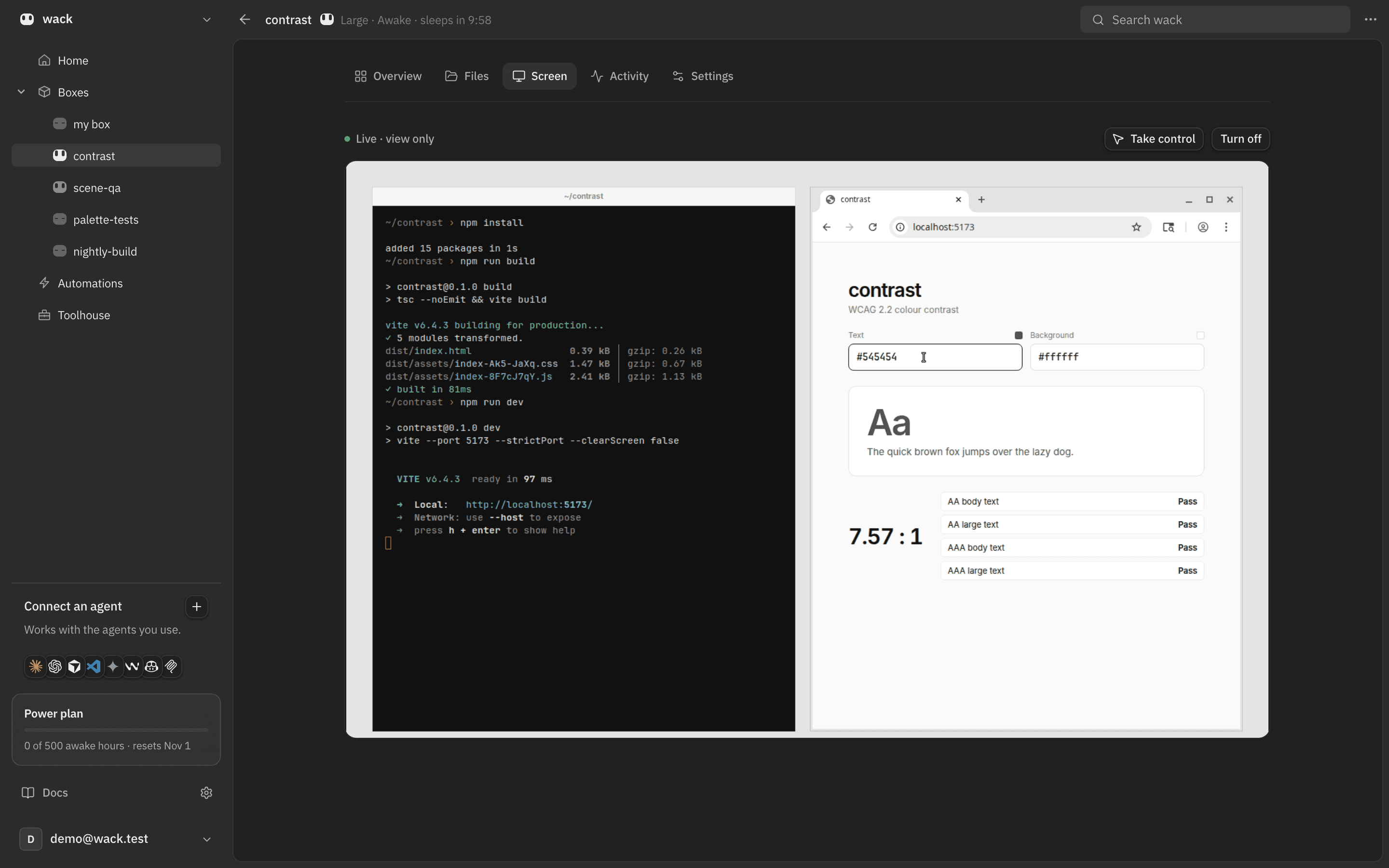
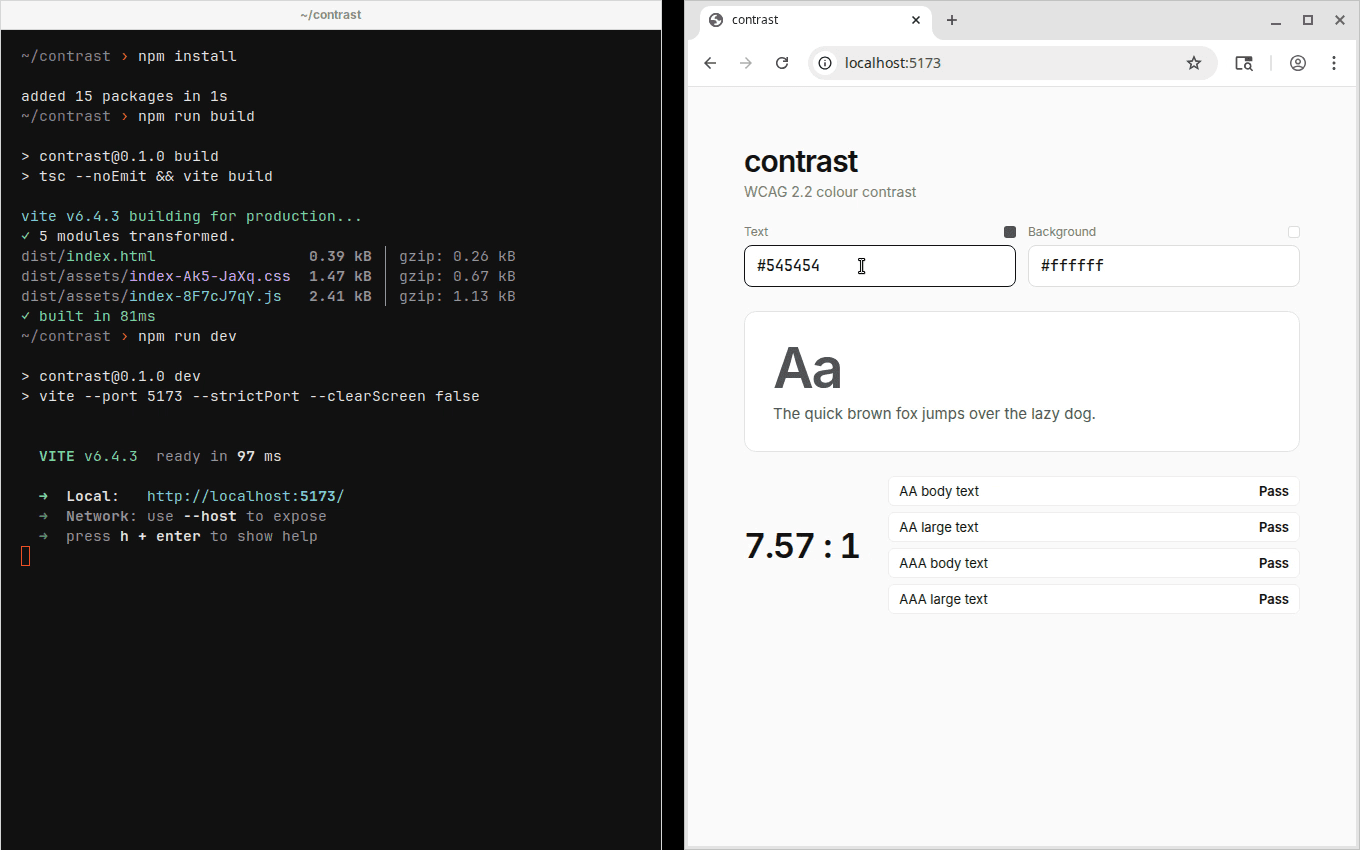 Screen of a wack box: a terminal that has installed, built and started a small Vite app, and Chrome showing the app while the agent changes its text colour, from a failing 2.81:1 to 7.57:1, which passes every contrast check.
Build
Your agent is root. It installs what the job needs with apt-get, npm or uv, builds it and starts the server. Every install is still there next time.
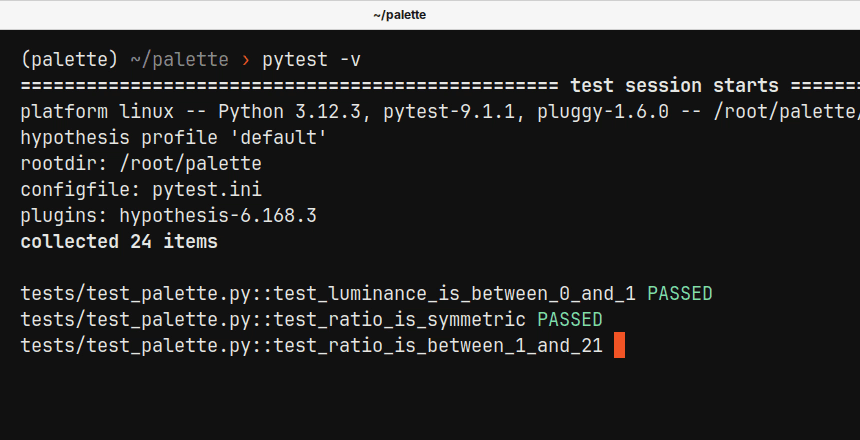
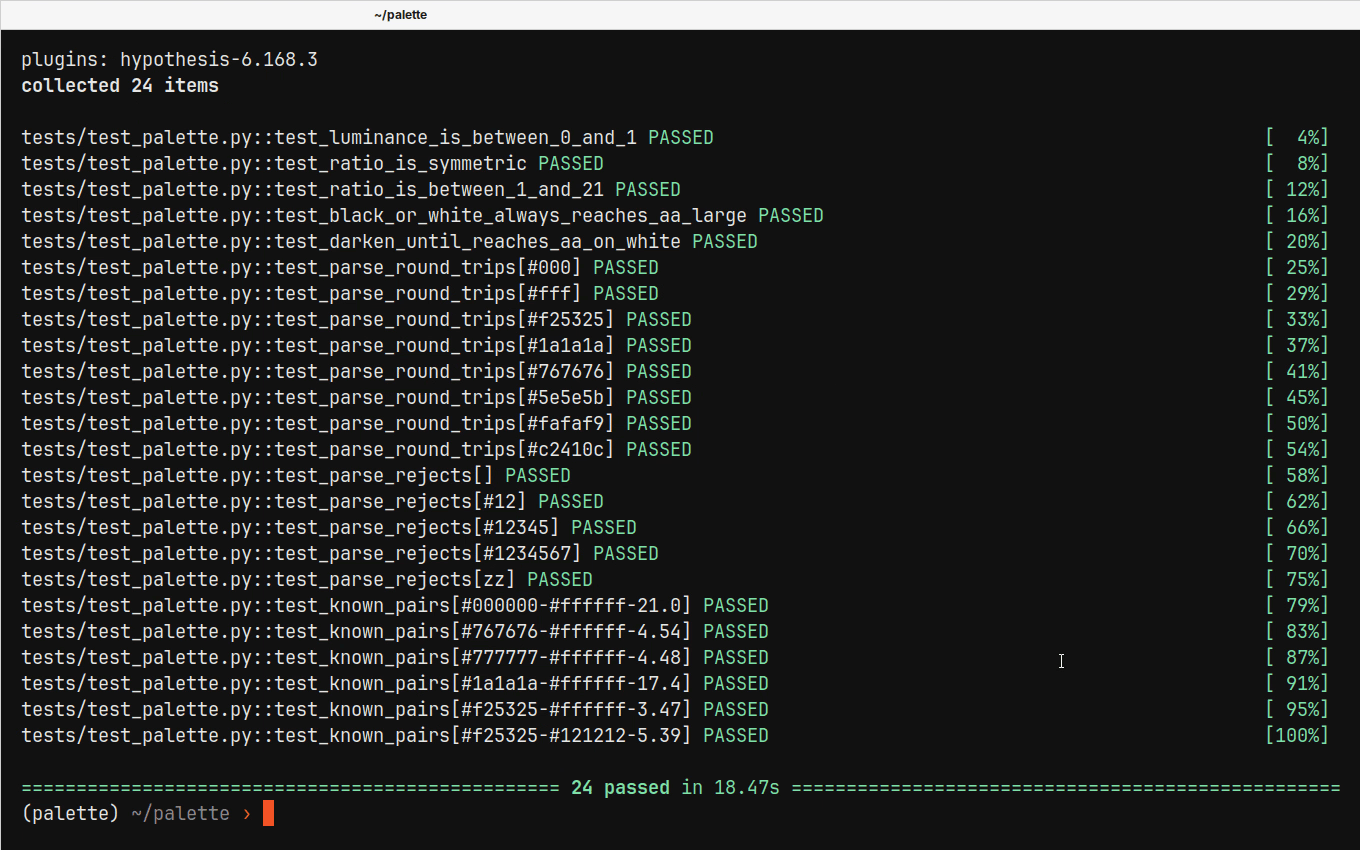 Screen of a wack box running pytest: 24 property tests pass one by one, finishing in 18.47 seconds.
Test
Long test suites run on the box while your laptop stays free. Python, Node.js, Playwright with Chromium and FFmpeg come installed.
Sleep
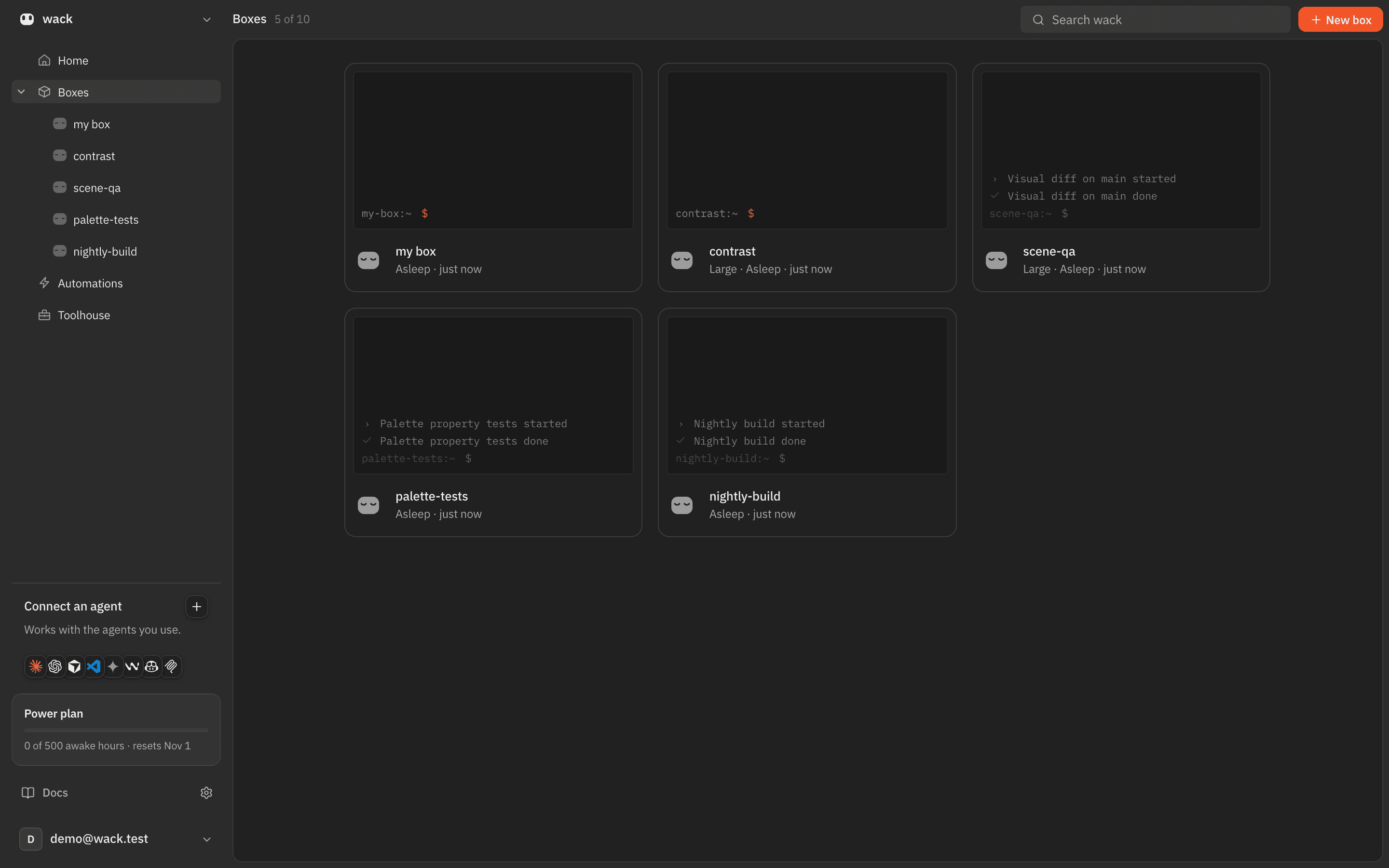
After 10 idle minutes the box sleeps and uses none of your hours. The next call wakes it in about a second, with every file where it was.
Your agent is root. It installs what the job needs with apt-get, npm or uv, builds it and starts the server. Every install is still there next time.
Long test suites run on the box while your laptop stays free. Python, Node.js, Playwright with Chromium and FFmpeg come installed.
After 10 idle minutes the box sleeps and uses none of your hours. The next call wakes it in about a second, with every file where it was.
Your agent makes its own boxes.
One connect URL gives your agent 14 tools. When a job splits into parts, it makes a box for each, runs them side by side and deletes the ones it made.
Three tool calls
box_create{ "name": "build-a", "size": "large", "ephemeral": true }→ build-a · Large · awakebox_exec{ "box": "build-a", "command": "npm ci && npm run build" }→ exit 0box_delete{ "box": "build-a" }→ deleted
box_create
A new box, set up and awake when the call returns.
ephemeral: true
A throwaway box that deletes itself, with its files, the first time it sleeps.
box_image_save
Saves a set-up box as an image, so new boxes start as exact copies.
Watch it work. Take over any time.
Turn on a box's screen and your agent gets a real 1440 × 900 display with a headed browser. Watch it live from the dashboard.
- View-only by default
- The Screen tab starts view-only, so you can't disturb your agent by accident.
- Take control
- Click and type into the box yourself, to sign in to a site or get past a prompt. Your agent carries on from there.
- Up to three viewers
- Three people can watch the same screen at once.
- Watching is free
- Watching doesn't keep a box awake. An idle box still sleeps after 10 minutes.
From 1 vCPU to an RTX 4090.
Your agent picks a size when it makes a box. A standard box suits most work; bigger boxes use your awake hours faster.
An awake hour on Standard uses 1 plan hour
| Size | Machine | Plans |
|---|---|---|
| Standard | 1 vCPU · 4 GB | Every plan |
| Large | 4 vCPU · 16 GB | Pro and Power |
| XL | 8 vCPU · 16 GB | Power |
| GPU | RTX 4090 · 4 vCPU · 8 GB | Pro and Power |
Work that runs while you're away.
Write a job once as a prompt or a script. It runs in your box on a schedule, from a webhook or from your own app, and the box sleeps again when it's done.
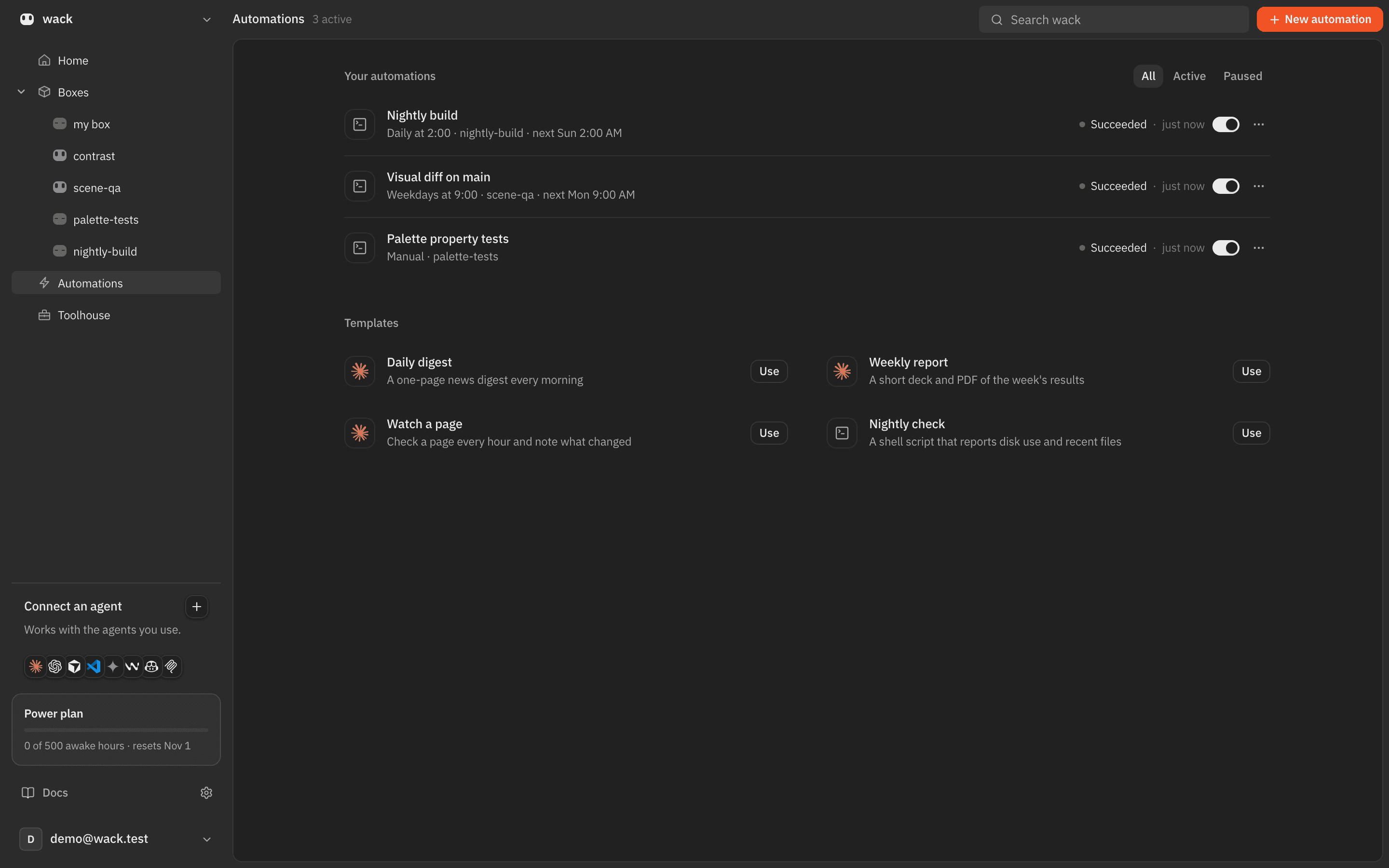
Automations
Claude Code, Codex or a shell script, on a schedule in your time zone, from a webhook or from your app. Results land as files in the box, with an email summary and a link.
01Approve the app once02Its agent starts in your box03Your laptop can sleep; the work goes on
Cloud sessions
Desktop apps like monocode can start Claude Code or Codex in your box instead of on your laptop. Close the lid and the session keeps going.
Cloud sessions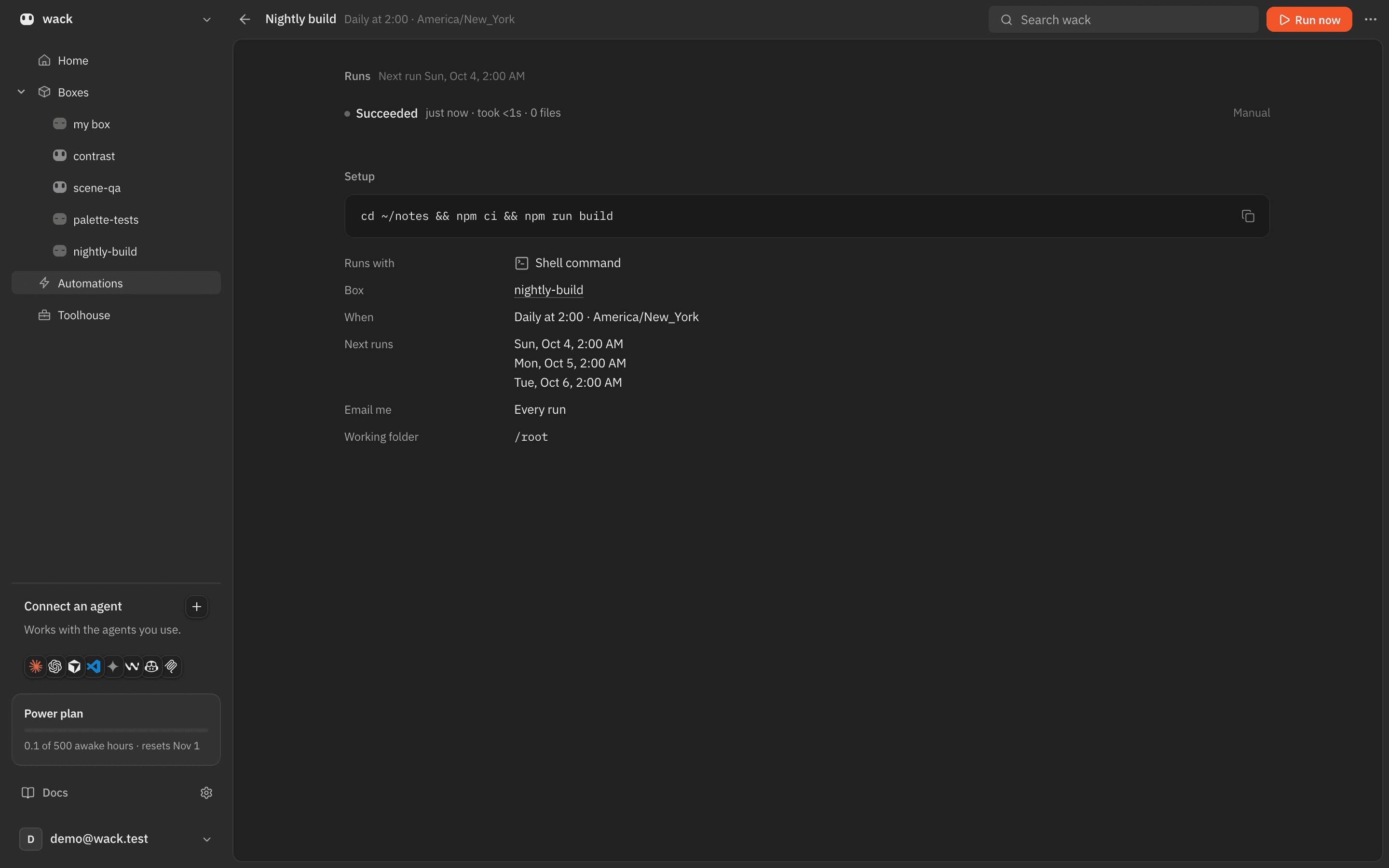
Every run
A run wakes the box, works for up to 60 minutes and lets it sleep again. Agent runs use your own Claude or OpenAI account.
A/B test a change on two identical boxes.
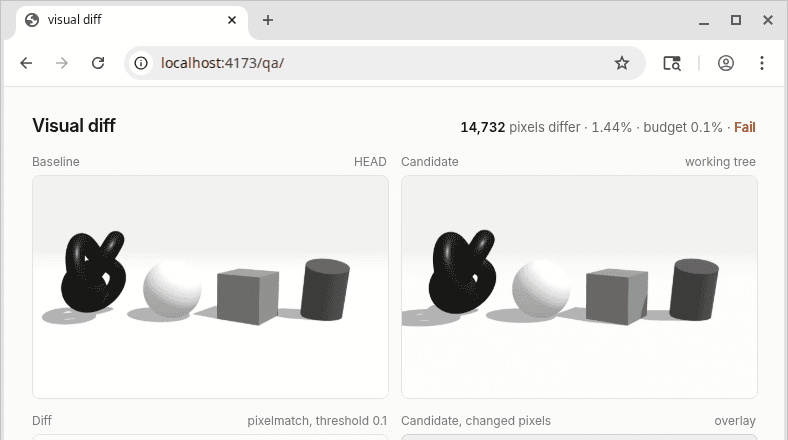
Ask your agent whether a branch changes how a page renders. It runs both versions on boxes made from one image, so the only difference between them is your code.
box_image_saveSets up one box with your repo, a pinned Chrome and your fonts, and saves it as an image.box_createStarts two temporary boxes from that image, each with a screen. They differ in nothing yet.box_execEach box checks out its revision, starts the dev server and drives a real browser to the same state.box_deleteCompares the two screenshots pixel by pixel, reports what changed and deletes both boxes.
Your agent reports
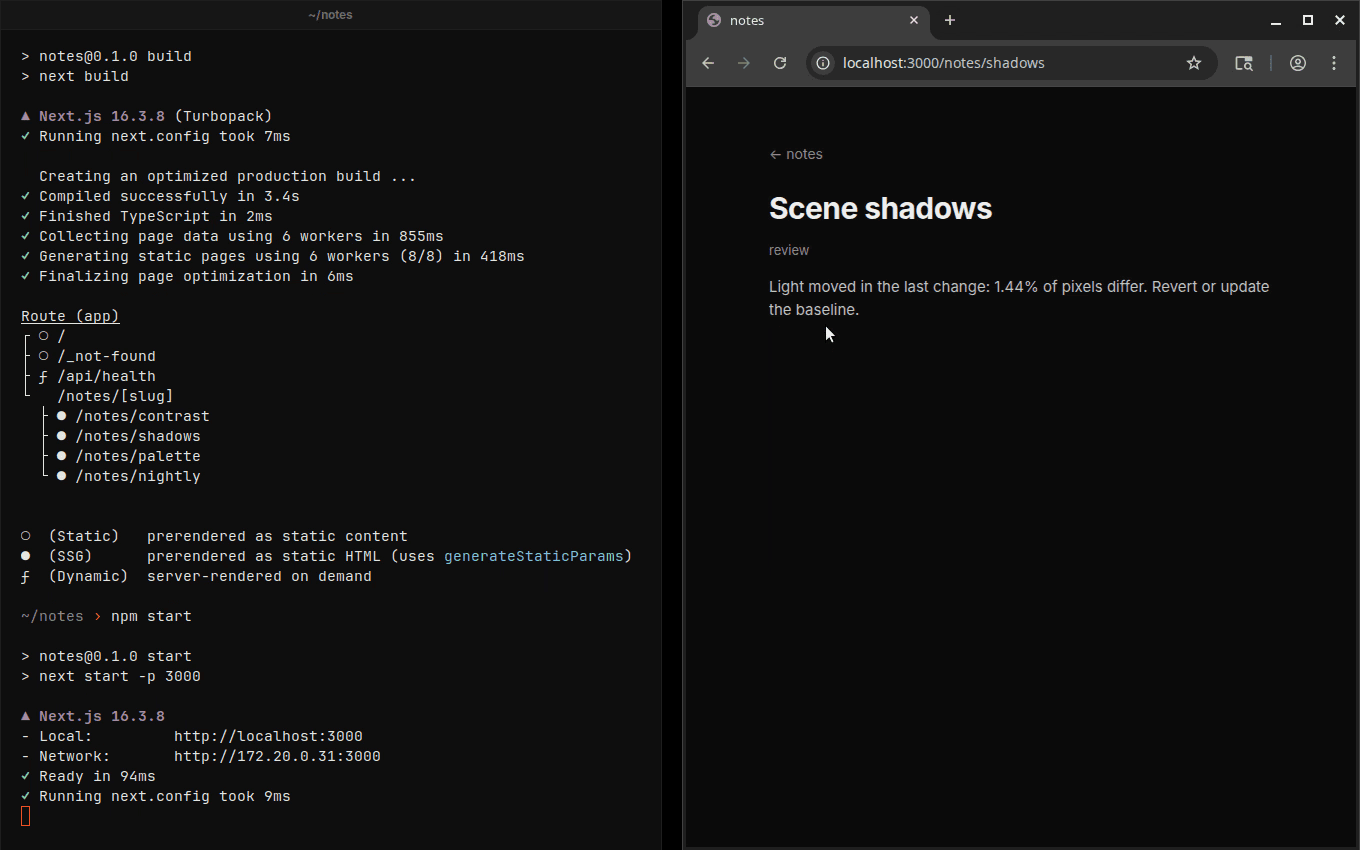
14,732 pixels differ (1.44%), over your 0.1% budget. The diff is in qa/diff.png.
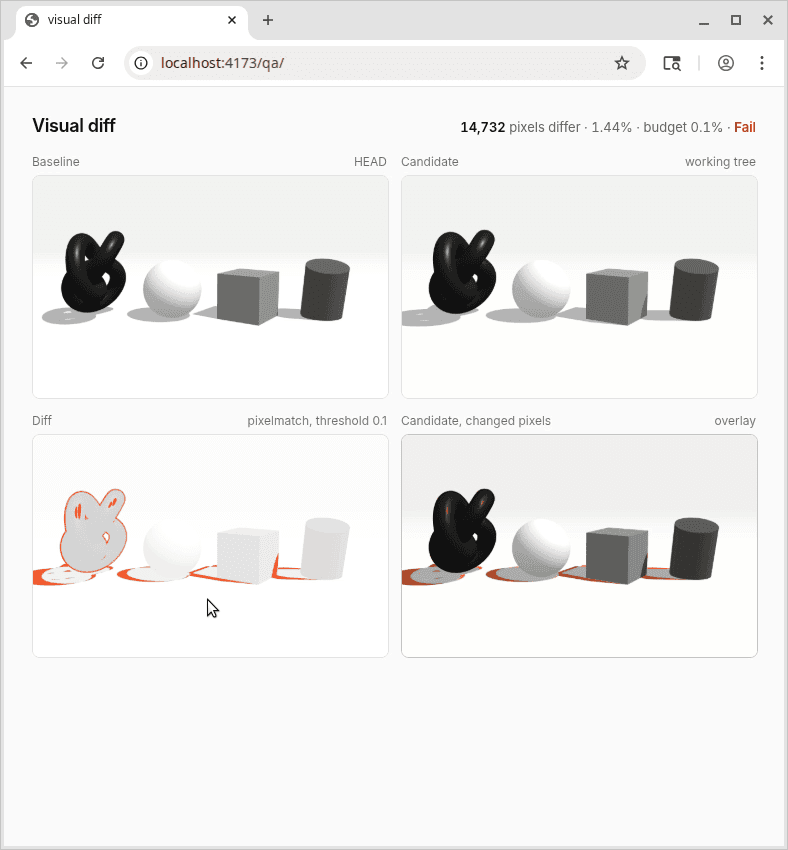 A visual diff report in Chrome on a wack box: baseline and candidate renders of a 3D scene, with the 1.44% of pixels that changed marked in orange.
Pay for awake hours. Asleep is free.
Plans are sized in awake hours. Sleeping boxes don't use them, and running out never costs extra.
Hobby
$19 / month
One box for the agent you already use.
40 awake hours · 1 box · Standard size
Pro
$49 / month
Room for agents that work every day.
150 awake hours · 3 boxes · Large and GPU sizes
Power
$149 / month
For fleets of agents and heavy automations.
500 awake hours · 10 boxes · Every size
Every plan starts with a 7-day trial: 10 awake hours, no card.
Compare plansCommon questions.
More answers in the docsWhat is a box?
A Linux computer in the cloud that belongs to you. A standard box has 1 vCPU and 4 GB of memory (about 3.8 GB usable), root access and a disk that persists. It comes with the usual tools installed, sleeps when idle and wakes in about a second. How boxes work.
Does wack include the AI model?
No. wack is the computer, not the model. Your agent keeps using your own Claude, ChatGPT or other subscription or API key.
Does my agent keep working after I close my laptop?
Automations and cloud sessions run in the box, so they carry on without your laptop. An agent running on your laptop stops when the laptop sleeps, and the box goes to sleep 10 minutes after its last call. How automations work.
What happens when a box sleeps?
Its disk and memory are kept and it uses none of your awake hours. The next tool call wakes it in about a second, with everything where it was. It never sleeps during a command, an automation run or a cloud session. Large and XL boxes keep their files but restart their programs, and a GPU box ends instead of sleeping.
Can my agent reach my laptop?
No. Your agent sends work to the box, and files move only when it uploads or downloads them. wack never connects to your computer. Security.
What if I use up my awake hours?
Nothing is billed extra. Running work finishes, and boxes can't wake again until your hours reset at the start of your next billing period or you upgrade. See the limits.
Which agents can connect?
Claude Code, Codex, Cursor, Claude (desktop, web and mobile), VS Code, Gemini CLI, Windsurf and any other client that supports remote MCP servers. Steps for each client.
Give your agent a box.
Your first box is ready about 20 seconds after you sign up. 7 days free, no card.